
Track Time with a Start/Stop Timer in Jira
Start a live timer on any Jira work item, then log the tracked time with one click.
Jira has no live timer — to track time you note when you started, watch the clock, and type the duration in afterwards, usually from memory.
JetTime, a time-tracking app for Jira from the Atlassian Marketplace, adds the start/stop timer Jira is missing. Start it when you begin, stop it when you're done, and the tracked time logs straight to the work log — no manual entry.
Start a Timer Where You Work
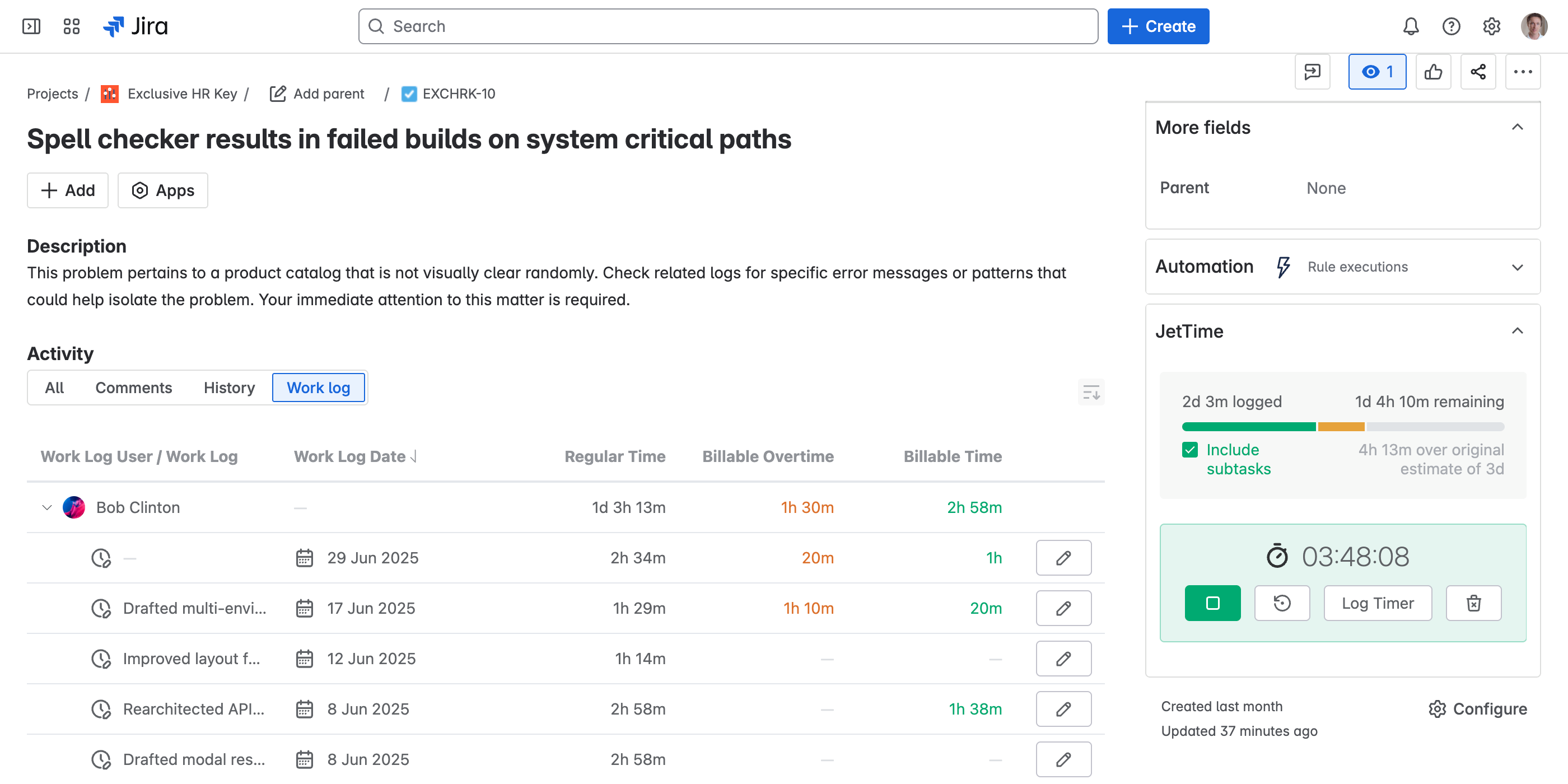
A timer attaches to one work item and tracks the time you spend on it. You can start one from two places — wherever you happen to be.
From a Jira work item
Open the JetTime panel on any Jira work item and start the timer. It counts in real time, right on the work item you're working — and keeps running even after you close the panel, the work item, or the tab. It tracks against the clock, not the open screen.
From the Timers page
Or open the Timers page, click Start Timer, and pick the work item to track. Same timer, started from your one-screen overview.
Run Several at Once
Switching between work items all day? Run a timer per work item and let them tick in parallel. The Timers page is your control panel — stop, resume, or reset any of them.
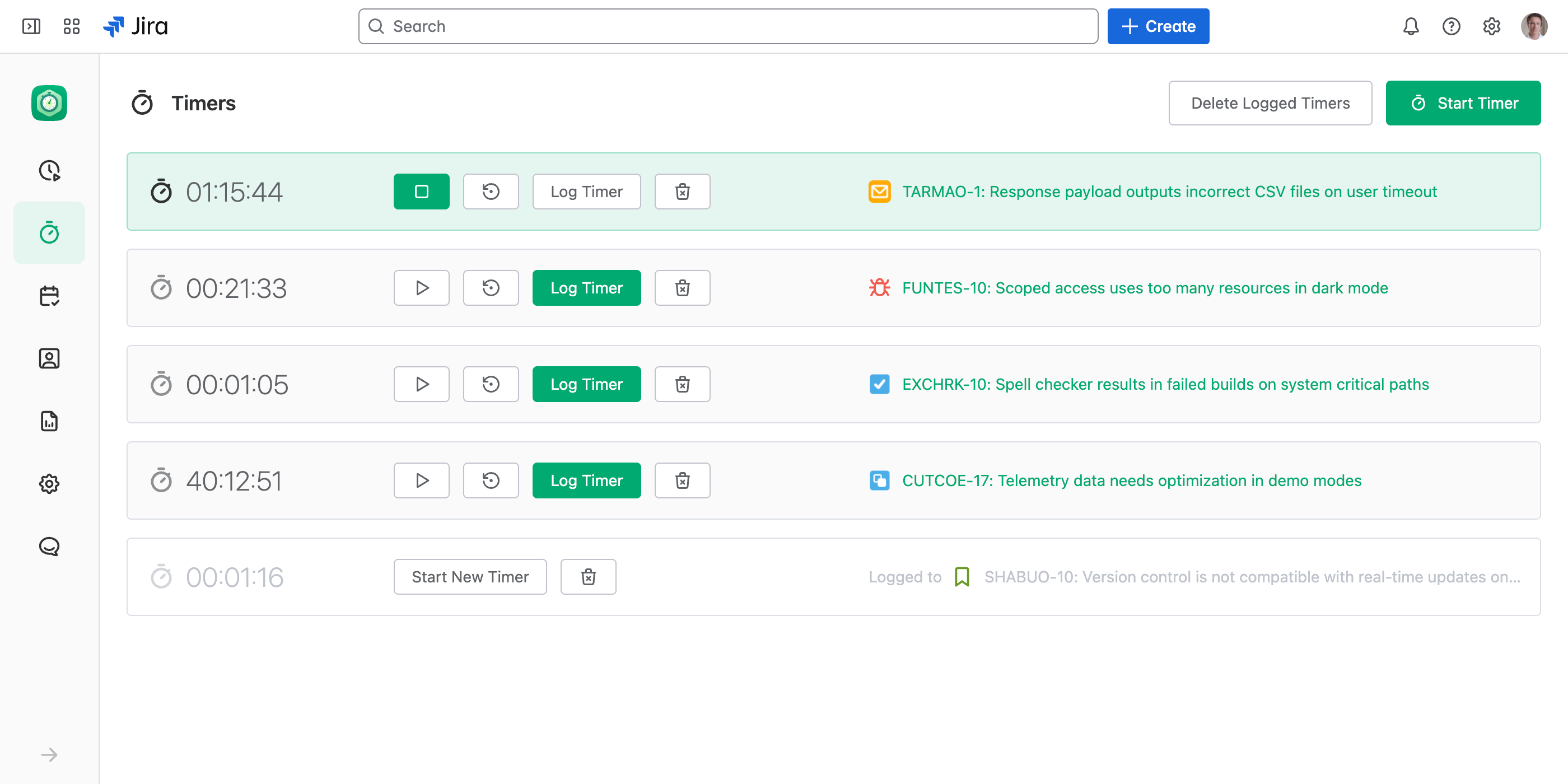
Prefer one timer at a time? Turn on Allow Only One Active Timer at a Time in time tracking settings — starting one then stops the rest.
Log the Tracked Time
When you stop a timer, its time is ready to become a work log — you just confirm the details.
Click Log Timer
When the work is done, click Log Timer. The Log Work dialog opens prefilled with the time the timer tracked.
Review and save
Adjust any fields — description, account, custom categories — and save. The tracked time becomes a work log, no typing the duration by hand.
Done with a timer? Use Delete Logged Timers on the Timers page to clear out the ones you've already logged.