
Disable Time Tracking for Specific Work Items in Jira
Turn off work logging on chosen work items, like invoiced or closed ones, by a rule.
Sometimes you don't want people logging time on certain work items at all — hours on an invoiced task shouldn't change after the client is billed, and logging on a closed or administrative item just adds noise. Jira itself has no real way to switch this off: hiding the time field still leaves Log work available in the work item's menu, and the only workaround is an admin editing workflow status properties — status-only, fiddly, and with known quirks.
JetTime, a time-tracking app for Jira from the Atlassian Marketplace, lets you turn logging off properly — by any work item rule, set up in a few clicks, with a note that tells people why.
How It Works
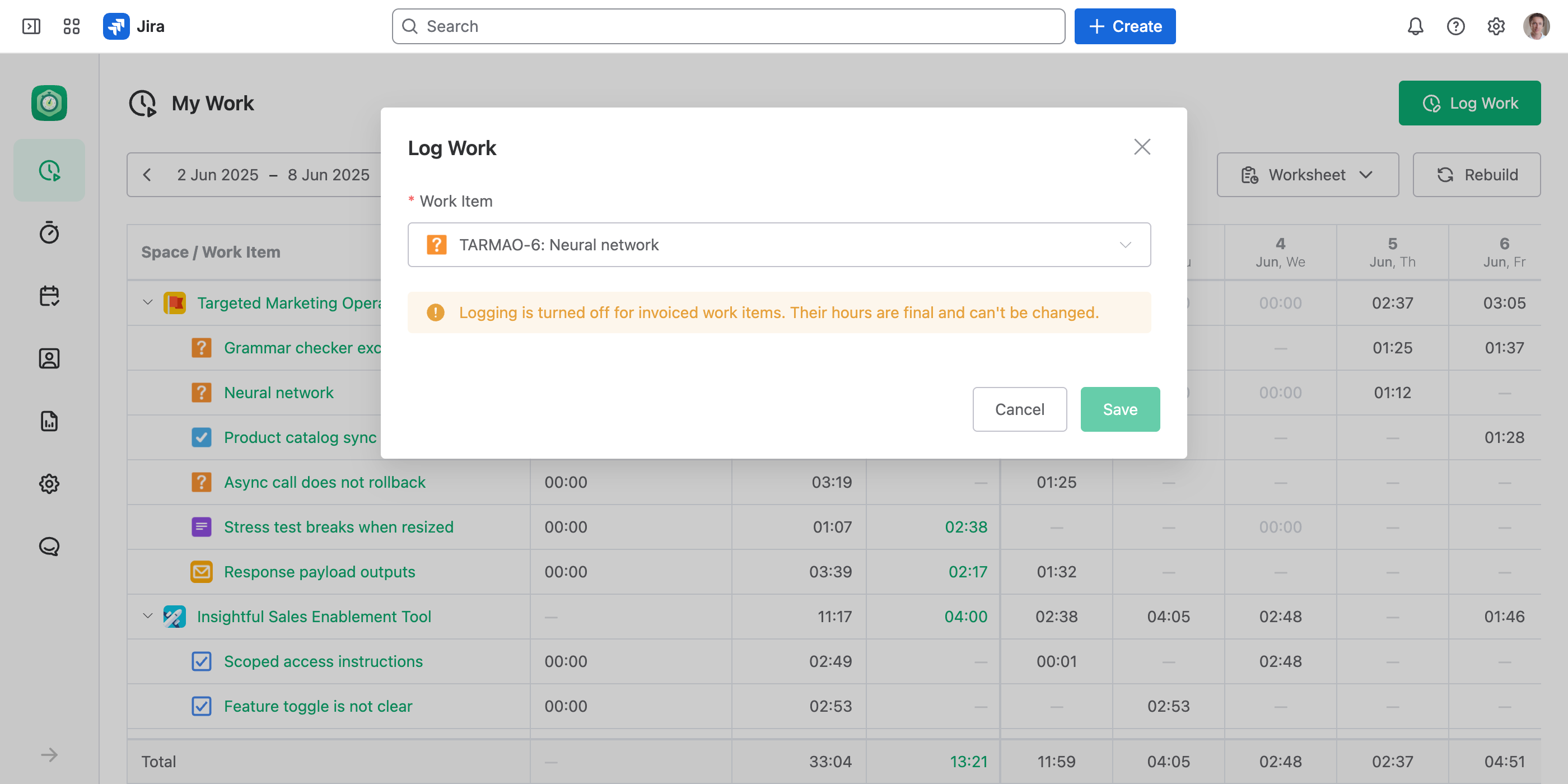
Logging is controlled by Field Schemes — each work item gets a Log Work form built from the scheme that matches it. A scheme with no input fields disables logging for the work items it covers: there is nothing left to fill in, and Save is greyed out.
Turn Logging Off by a Rule
Create an Empty Scheme
Go to Settings › Field Schemes and select Create Field Scheme. On the Fields tab, add a single Notes field and write the message people should see — for example, "This work item has been invoiced. Its hours are final and can't be changed." Leave out every other field, so there's nothing to log.
Point It at the Right Work Items
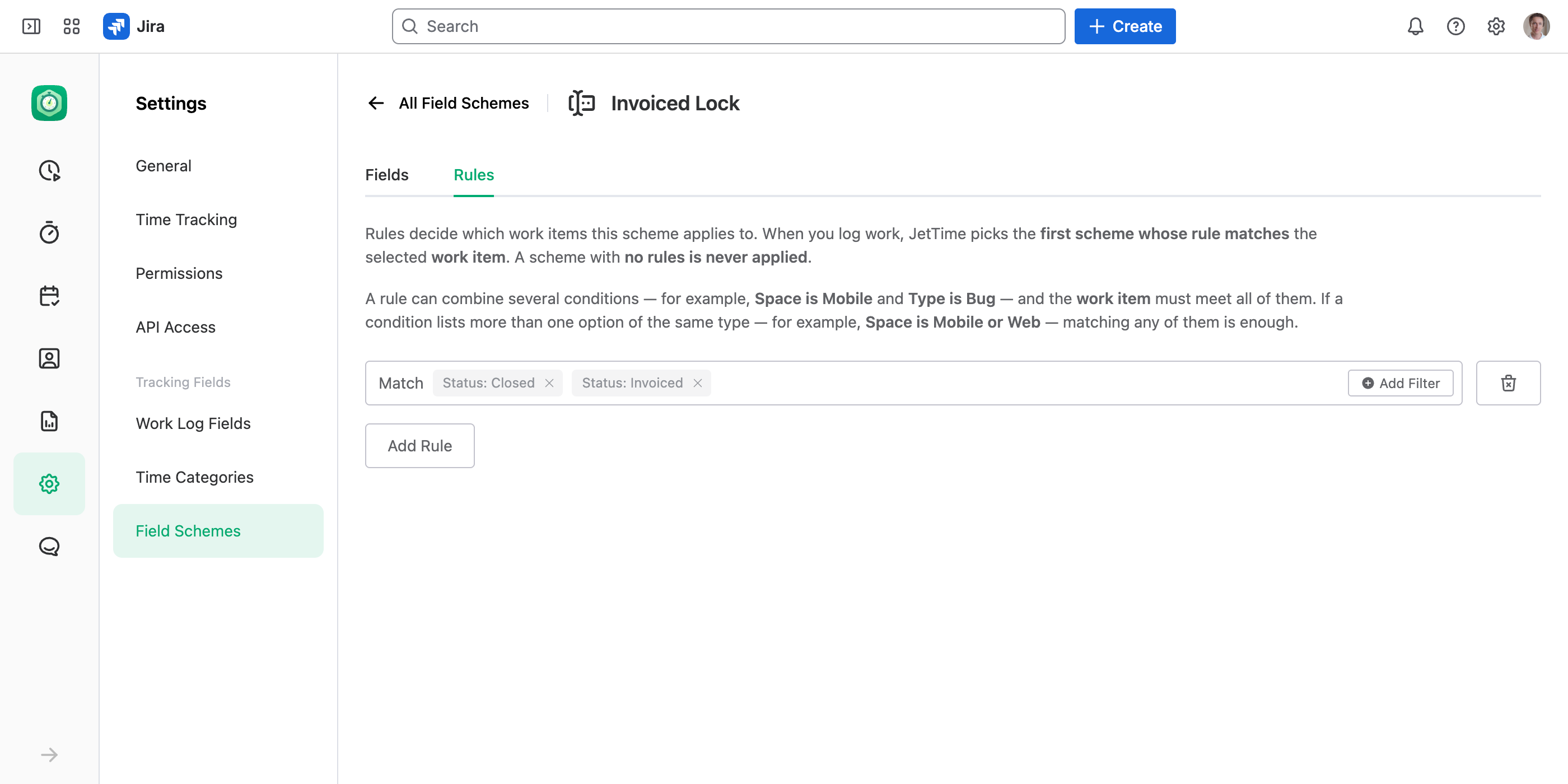
On the Rules tab, add a rule that matches the work items where logging should be off — for example Status is Invoiced, or Status is Closed. You can combine conditions and add more rules to cover several cases.
Save the Scheme
Select Save on the tab you edited — the Fields and Rules tabs save separately. From now on, any work item matching the rule shows your note instead of the fields, with nothing to save.
This works when JetTime is set as your Jira time tracking provider, so the Log Work form people use is JetTime's. See Setting JetTime as the Time Tracking Provider in Jira.
Ideas for Where to Use It
- Invoiced or paid work. Freeze hours once they've been billed, so totals can't drift after the fact.
- Closed or done work. Stop late entries on finished items that would skew your reports.
- Containers, not tasks. Switch logging off on epics or initiatives so time only lands on the work items underneath them.
- Read-only spaces. Turn logging off across a whole space where time isn't tracked.
Want to freeze everything up to a date instead — say, the whole month you just invoiced, whatever state its work items are in? Use a Lock Date: nobody can add, edit or delete a work log on or before it.
Why This Beats Hiding the Field
Hiding Jira's time field doesn't actually stop logging — the Log work action stays in the work item menu. JetTime leaves nothing to fill in and blocks saving, and it does so by a rule you set visually — by status, type, space, or any work item field — not by editing workflow properties. People who open such a work item see a clear note explaining why logging is off, instead of hitting a permission error.