
Logging Time with Timers
Track work in real time using start/stop timers.
JetTime allows you to log time effortlessly by using timers, making it easy to track the exact time spent on tasks in real-time. Whether you start a timer from the Timers app screen or a Jira work item panel, JetTime simplifies the process of capturing and logging your time.
Where to Find Timers
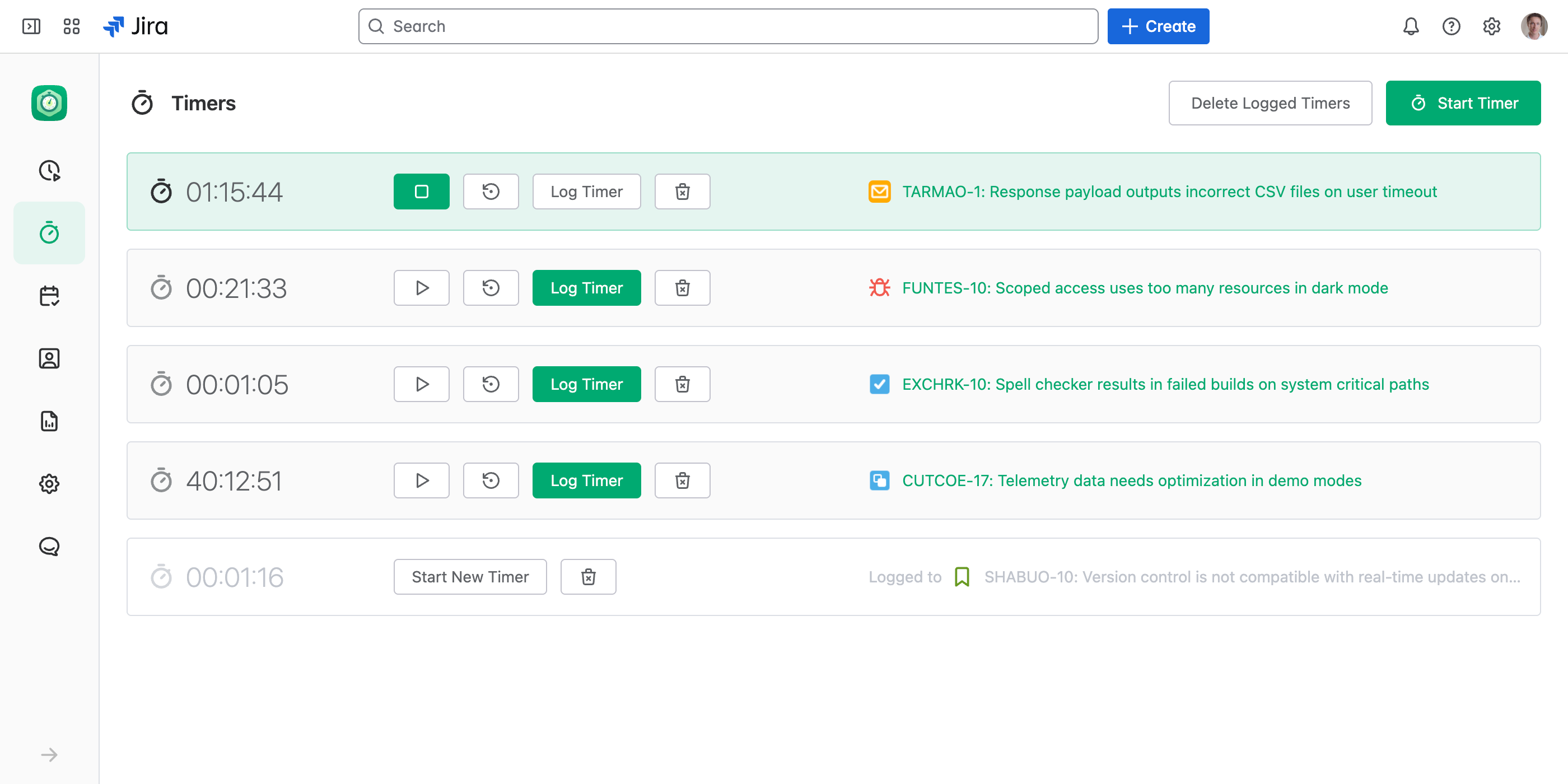
Timers app screen. Access your personal timers from the Timers app screen, where you can view, manage, and log all your active and past timers in one place.
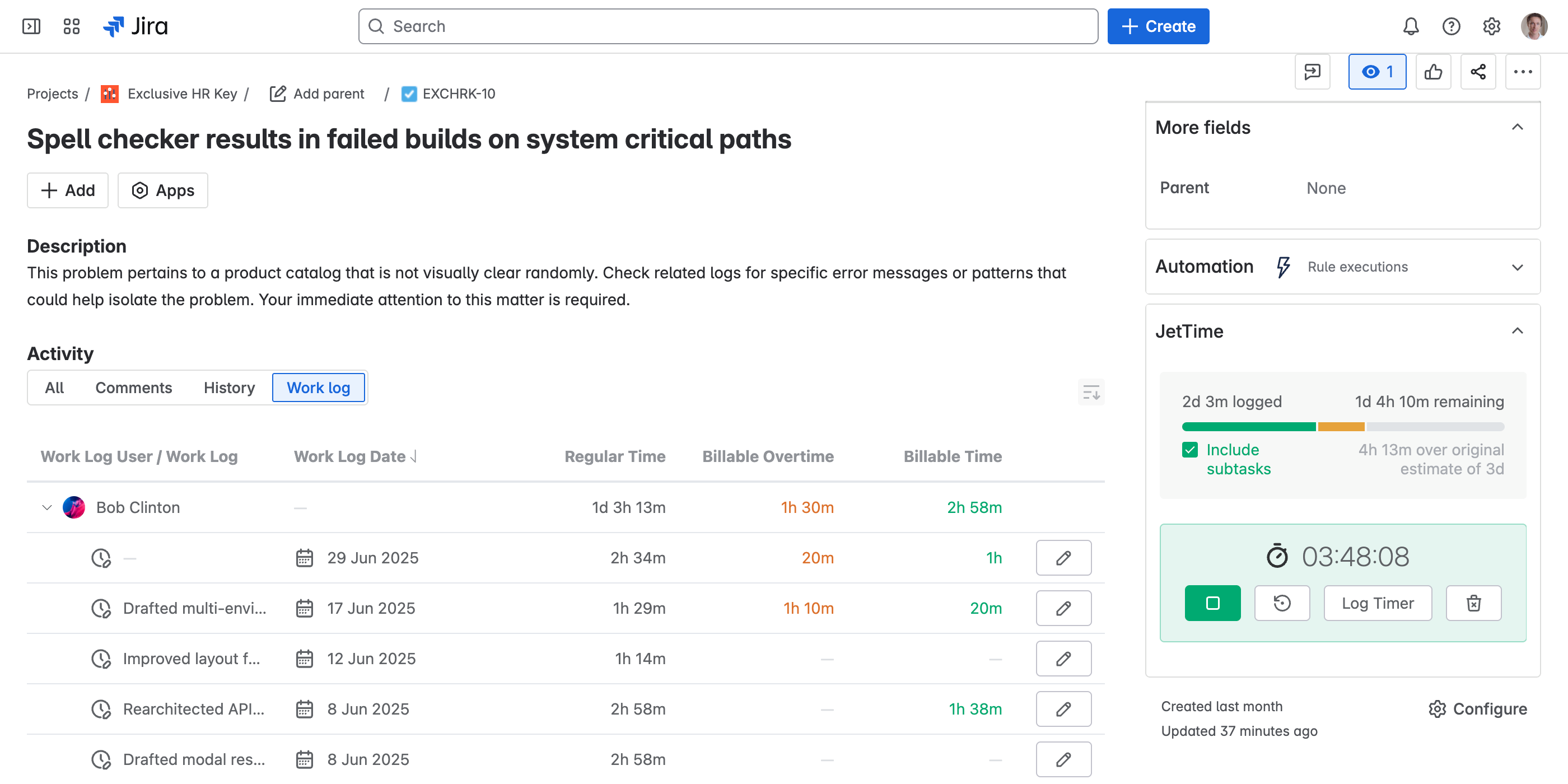
Jira work item panel. Start a timer directly for a specific work item from the JetTime Jira work item panel, making it easy to focus on the task at hand.
How to Use Timers
Timers offer an intuitive way to track and log time directly in JetTime. Here's how you can use them:
Start a Timer
To begin tracking time:
- On the Timers app screen. Select Start Timer and select a work item to associate with the timer.
- On a Jira work item panel. Start the timer for the specific work item using the JetTime Jira work item panel.
Stop a Timer
When taking a break or finishing a task, you can stop active timers directly from the timer widget. This ensures accurate tracking of your overall time spent. Stopped timers can be resumed.
Log Time from a Timer
Once your work is complete, use Log Timer to open the Log Work Dialog prefilled with the time tracked by the timer, allowing you to review and make any necessary adjustments. JetTime prefills Time Spent with the value tracked by the timer when the form includes it.
Important Information About Timer Storage
Timers are stored locally in the browser using app state management. However, some browsers, particularly Safari, apply aggressive data clearing mechanisms enforced by Intelligent Tracking Prevention (ITP). As a result:
- Timers will not work reliably in Safari. Due to ITP, timers may be purged frequently, leading to the loss of timer progress.
- Recommended solution. Use a browser that supports features required by modern web apps, such as Google Chrome, Mozilla Firefox, or Microsoft Edge.
This ensures uninterrupted functionality and a smoother experience when using timers in JetTime.