
Logging Work for Accounts
Assign logged time to specific accounts for tracking.
JetTime provides the capability to associate work logs with specific accounts. This is especially useful for teams managing multiple projects, clients, or cost centers, as it helps to organize work and generate account-specific reports for better financial or operational tracking.
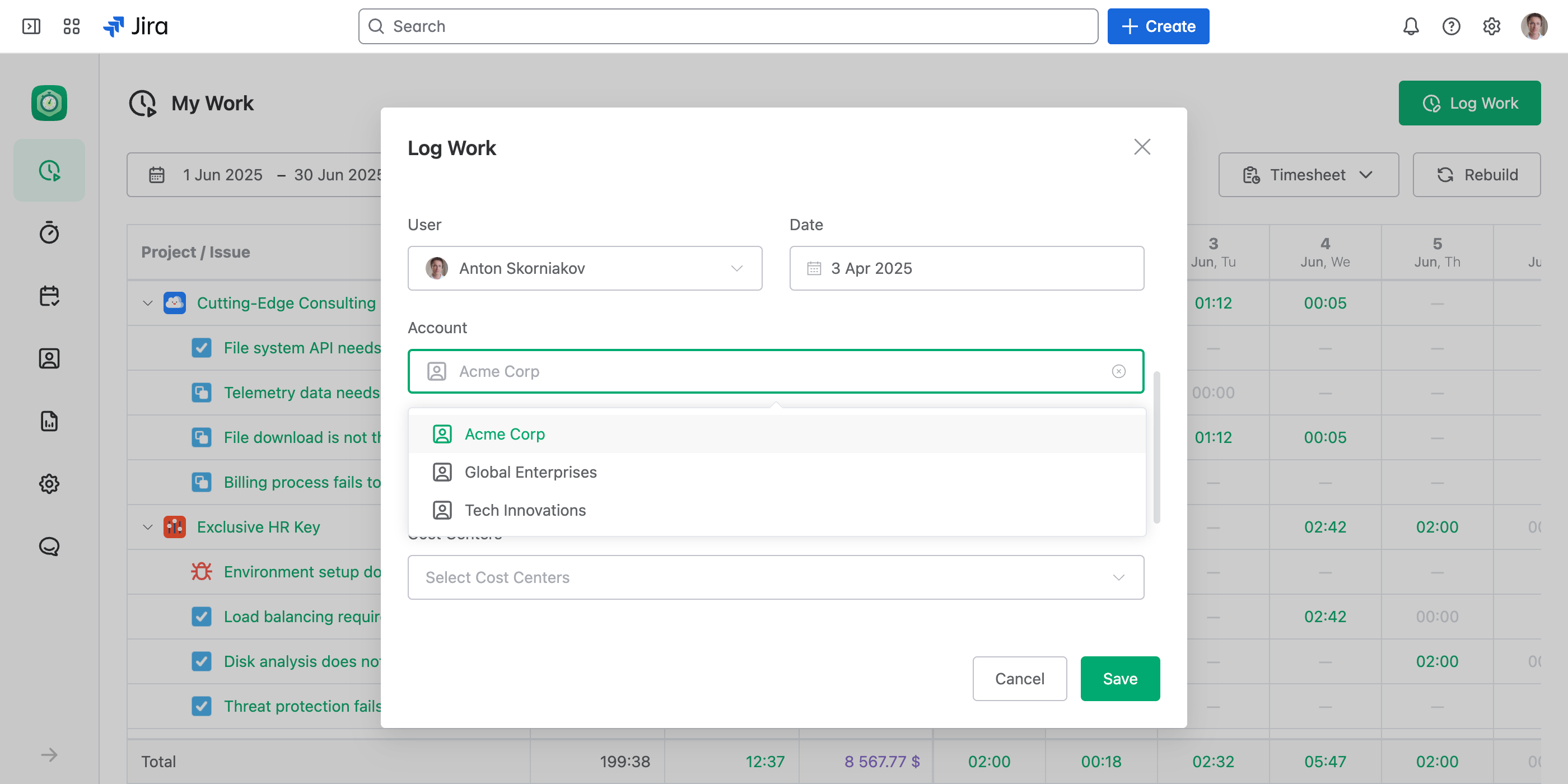
How to Log Work for an Account
When logging work in the Log Work dialog, you can select an account to associate the work log with:
- When the Field Scheme for the work item includes Account, an account selector appears in the Log Work dialog.
- In the scheme you also set whether choosing an account is required or optional.
Generating Reports by Accounts
After work logs are associated with accounts, JetTime enables you to generate detailed and aggregated reports based on accounts. These reports provide insights into how time and resources were spent for specific projects or clients, making it easier to monitor budgets, billable hours, or operational efficiency.
Next Steps
For account setup and management, visit the Accounts article.