
Logging Custom Metrics
Track financial, quantity, distance, and other numeric metrics on your work logs.
JetTime enables you to track various custom metrics using numeric custom work log fields. These fields are designed for tracking summable data points, allowing you to gain deeper insights into key aspects of your work, such as outputs, productivity measures, or resource consumption. These metrics tie seamlessly into JetTime's powerful reporting capabilities for aggregation and analysis.
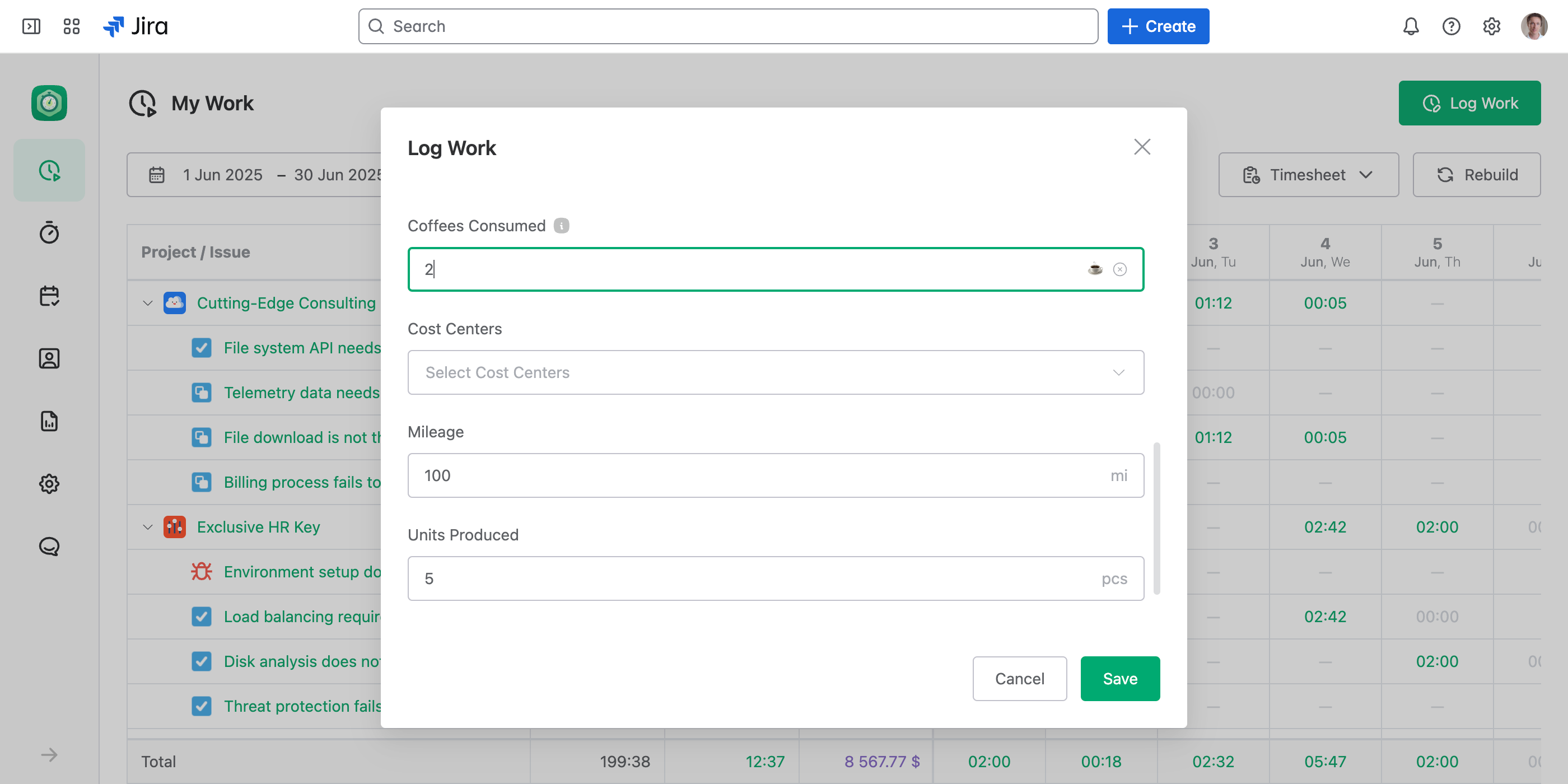
How to Log Custom Metrics
When you log work in JetTime, the numeric custom fields included on the form appear in the Log Work dialog, where you can capture them alongside time and a description, or on their own.
- Simply input the numeric value for the custom metric in the appropriate field.
- You can create multiple numeric custom metrics to capture different types of data within the same task or project.
Field Schemes control which fields appear on the form. To capture metrics without time, set up a scheme that drops Time Spent for specific work items and shows only your metric fields.
Reporting on Numeric Custom Metrics
Numeric custom fields become metrics in reports, offering powerful aggregation capabilities to help you gather insights across spaces, users, time periods, and other report fields. You can:
- Aggregate values. Sum custom metrics to get totals for tasks, users, spaces, accounts, etc.
- Group metrics. View grouped data by date ranges, project categories, assignees, etc, for better organization.
- Create metric worksheets. Generate worksheet reports to track numeric metrics for specific time periods (for example, daily, weekly, or monthly totals).
Find Forgotten Figures
JetTime shows a zero and an empty field differently. That holds for every number on a work log: Regular Time, your time categories, costs and other metrics. Enter 0 and reports, work log lists and approvals show a dimmed 0. Leave the field empty and they show a dash (—). A 0 is a decision: no mileage on this task. A dash is a question: someone forgot to log it, and it's time to ping them.
To find the gaps, add the metric to a report as a total column. A total of — means none of the work logs under it holds the figure; group down to Work Log to see each one that lacks it. Then ask their authors, or fill the figures in for all of them at once with the bulk editor.
In the worksheet's date columns, work logs with nothing entered show a dimmed 0, so you still see which days hold work. A dash there means no work logs at all. The row's total tells the two apart.
Real-World Use Cases for Custom Metrics
Custom metrics can have practical applications across various industries and teams. Here are examples of how numeric custom fields can be utilized effectively:
- Tracking mileage. For tasks involving travel, log the number of miles or kilometers driven using a Mileage (km) or Mileage (miles) metric. For example, record that you drove 60 miles for a site visit.
- Resource usage. Log specific materials or energy consumption, such as Square Meters Built for construction projects, where you can sum up how much area was built over a week or month.
- Personal & fun metrics. Track lighthearted data like Coffees Consumed during work-related activities to analyze fun patterns across the team.
- Product delivered. Record physical outputs, such as Units Produced or Deliveries Completed in manufacturing or logistics workflows. For example, log that 15 products were assembled during a shift.
- Sales performance. Track the number of Leads Processed or Contracts Finalized for each sales representative to measure team success and individual contributions.
- Client service metrics. Monitor customer-focused metrics such as Support Tickets Resolved or Customers Helped to analyze effectiveness in service-based roles.
- Monitoring expenses in non-currency units. Track consumables like Kilograms of Materials Used, such as 125 kg of cement for a task.
- Event tracking. Use numeric metrics like Attendees Scoped for project events, such as planning meetings or training sessions, to track participation and scope.
- Project volume metrics. Capture volume tracking, such as Pages Translated in localization projects, or Features Coded in software development projects.
Next Steps
To learn more about creating custom fields, refer to the Setting Up Custom Work Log Fields article. For more on using custom fields during logging, visit Using Custom Work Log Fields. To build a metric-only form for specific work items, see Configuring Field Schemes.