
Logging Work for Others
Record time on behalf of other team members.
JetTime allows you to log work on behalf of other users, provided you have the necessary permissions. This feature is particularly useful for team leaders, managers, or reviewers who need to adjust or correct work logs for their team members.
Permission Requirements
Logging work for someone else needs permission to manage other people's work logs. That permission is JetTime's own, granted inside the app under Settings › Roles and Permissions — not in Jira's global permissions screen.
Either layer is enough, and either one opens the User picker:
- A global permission. The View and Manage Others Work Logs global permission, or Full Access. Either covers every team, account, and workstream at once, which is what an administrator or a company-wide reviewer needs. See Managing Global Permissions.
- A permission role on one object. A permission scheme can grant Manage Others Work Logs on a single team or account. That is the narrow version, for a lead who handles their own team's hours and nobody else's.
Without either, User stays on you and the work log is saved as your own.
Jira's own work-log permissions on the space still apply underneath: JetTime writes each work log into Jira as the person it belongs to, so Jira has to allow the work too.
How to Log Work for Others
If you have the appropriate permissions, you can select or change the user whose work log you are updating in the Log Work dialog:
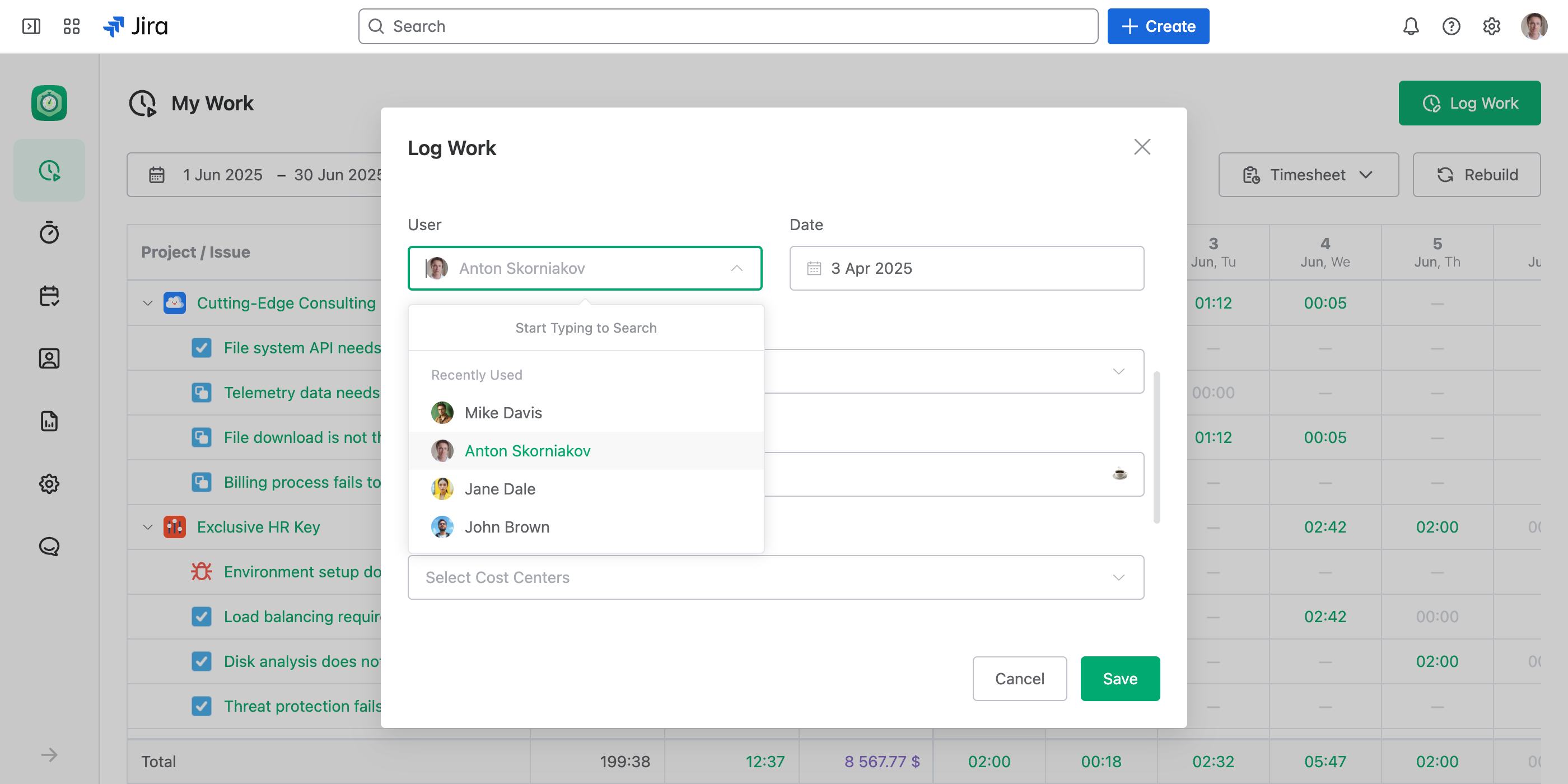
- Open the Log Work dialog for the relevant work item.
- Use User to select the team member whose work log you want to log or update.
- Fill in the required details, such as time spent, description, and any custom fields, and then save.
To hand many work logs to the person who did the work, change User on all of them at once with the bulk editor.
Use Cases
Logging work for others can be helpful in various scenarios, including:
- Work log review. Adjust work logs during regular reviews to ensure accuracy and compliance with project requirements.
- Error correction. Correct mistakes in work logs submitted by team members.
- Team assistance. Log work on behalf of team members who are unable to update their work logs themselves (for example, due to absence or technical issues).
Key Points
- This feature is permission-dependent and not available to all users.
- Ensure proper coordination with your team members before adjusting their work logs.
Next Steps
For more details on permissions, see the Managing App Permissions article.