
Notifications
Learn when JetTime notifies you and how to read your notifications.
When someone else acts on your worksheet — approves it, rejects it, submits it for you — a red count appears on the bell at the bottom of the main menu. Select the bell to open Notifications, newest first: who did what, on which period, and their message.
When You Get a Notification
You're notified when someone else:
- submits your worksheet or recalls your submission for you;
- approves it, at every step — the last approval says it is fully approved;
- recalls their approval;
- rejects it, with the reason;
- resets your submission.
Never for your own actions. Approvers aren't notified about new worksheets: their count on Approvals › Approving shows what waits for them. Notifications stay in JetTime; no email is sent.
We plan email notifications. If you need them, tell us at feedback.jetheads.io or through Support in the main menu. Requests like yours decide what we build first.
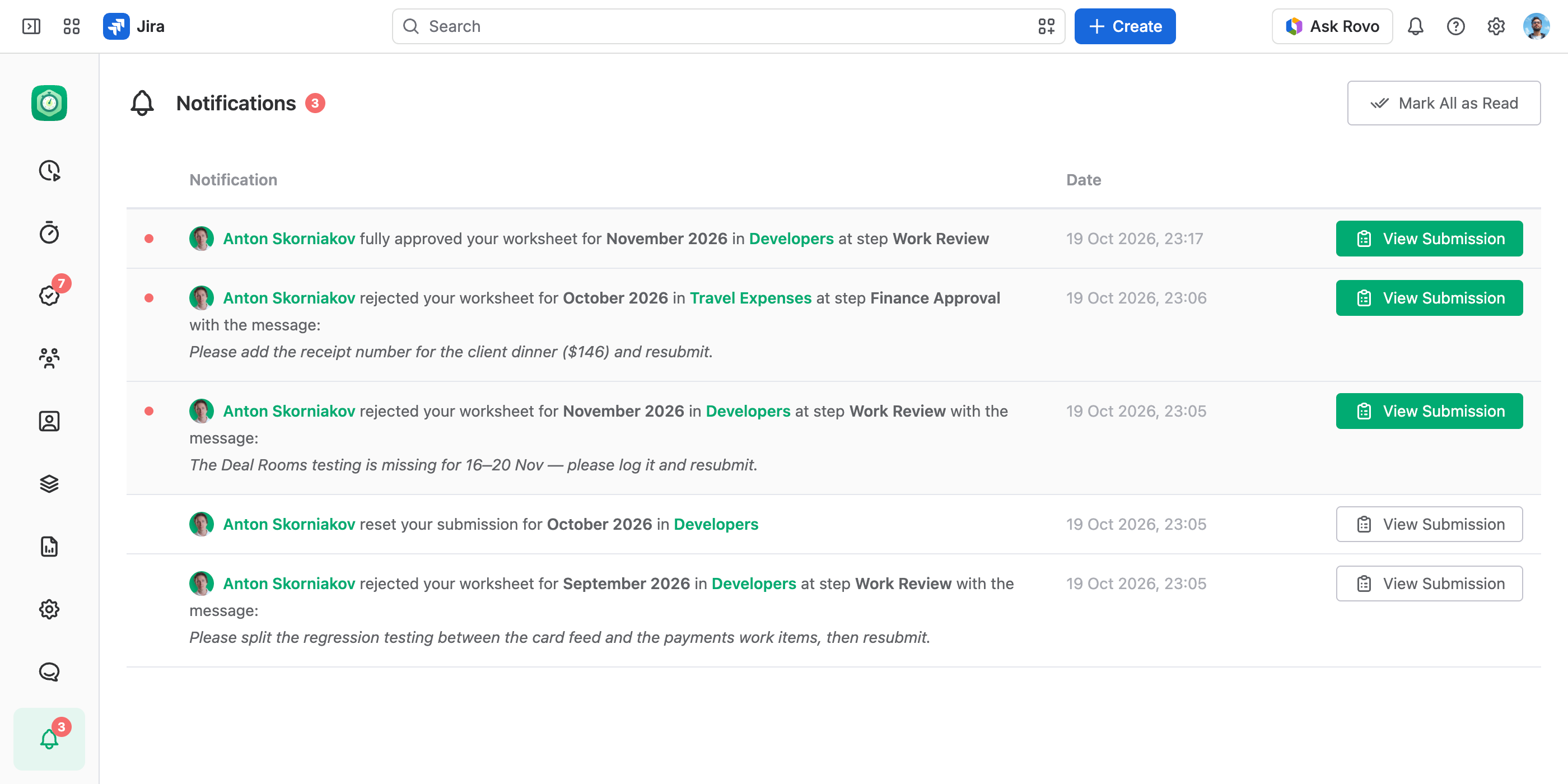
Mark Notifications as Read
An unread notification has a red dot. View Submission opens the submission and marks the notification read. Mark All as Read clears every unread one.