

Benefits & Use Cases
See how agencies, consultancies and other service teams use JetTime for time tracking.
JetTime is for service companies that bill or measure work by the hour: agencies, consultancies, outstaffing and time-and-materials teams, fixed-price project teams, support and managed-service teams. It's built for whoever closes the month and has to stand behind every hour on an invoice or a payslip.
Use Cases
Each case shows one way to set JetTime up. You choose who approves, under which roles and on which cycle.
Agencies and Consultancies
Every client gets its own invoice, and the account manager wants to check the hours before it goes out.
- Each hour on its client. People log work to the client's account. A field scheme makes Account required on client work, so no billable hour goes in without its client.
- Sign-off before the invoice. Turn on work approvals for each client account and name who approves, for example its account manager. They approve each person's worksheet (what other tools call a timesheet) for the month before you invoice.
- The client's own rules on the form. One client won't accept an invoice without a PO number on every line? A field scheme for that client's space makes PO Number required in that space and nowhere else. See Customize the Log Work Form per Work Item in Jira.
- The invoice's hours in one report. Filter a report by the client's account for the billing month, and export it to Excel. See Build a Billable Hours Report in Jira for Invoicing.
Outstaffing and Time-and-Materials Teams
You bill by the hour at a rate per role, and one person may work under several roles.
- One invoice line per rate. Put people on teams under their function roles, and a report grouped by Role gives you one line per rate. See Build a Billable Hours Report in Jira for Invoicing.
- One person, two roles. A developer who also runs client calls is on the team under both roles. They log the afternoon's client call as Project Manager, and you bill that time at the project manager's rate.
- Overtime billed apart. Keep Billable Overtime as its own time category, so the higher-rate hours get a total of their own.
- Separate team and client approvals. For example, the team lead approves the team's hours weekly, while each account manager approves their client's hours monthly. The same hours get two sign-offs.
Fixed-Price Projects
The price is agreed up front. You need to know what the work really took.
- A project's whole effort in one number. Group a report by the epic level, and every hour logged on its stories and sub-tasks rolls up to the epic, across spaces. See Roll Up Time to Epics Across the Jira Hierarchy.
- A price per deliverable. Record the agreed price of a logo or a brand kit in a Billable Cost field, beside the hours or instead of them.
- No late hours on finished work. A field scheme switches logging off on done or invoiced work items. See Disable Time Tracking for Specific Work Items in Jira.
Payroll and Contractors
People are paid for the hours they log, or owe a set number of hours each week.
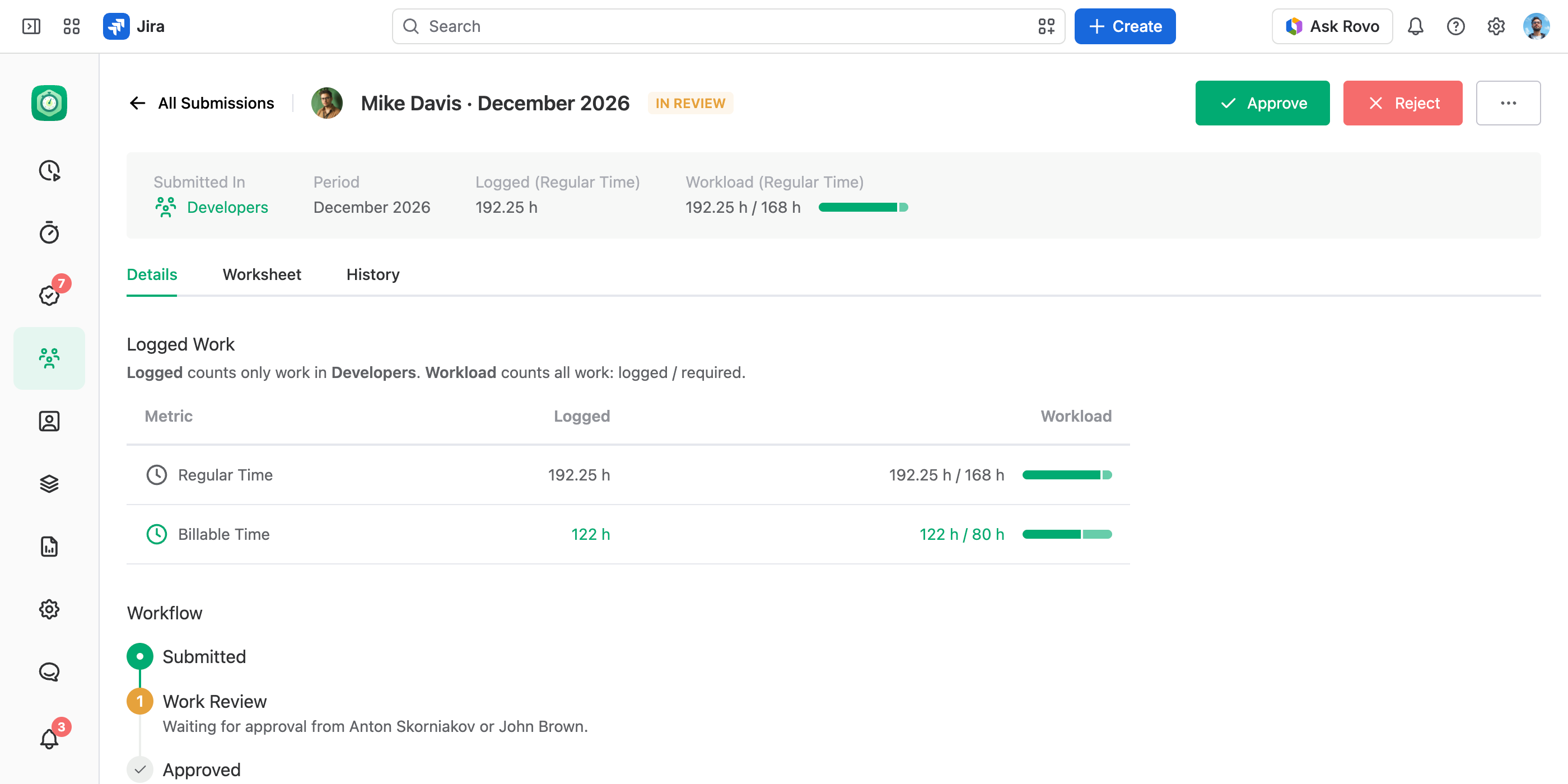
- Paid hours checked against the norm. The hours each person owes come from their workload scheme and workload calendar, public holidays and a move to part time included. With Show Workload on in the approval policy, the approver sees what each person logged against what they owed, before anything reaches payroll.
- Two checks before payroll. An approval policy can have several steps: say, the team lead approves the work, then payroll checks the hours.
- Contractors submit, staff don't. The approval policy names the permission role that submits. Give that role only to your contractors, and only they owe worksheets. See Setting Up Work Approvals.
Support and Managed Services
You support several customers and account for the hours spent on each one's requests.
- Hours per customer. Group or filter a report by the customer organization from Jira Service Management to see each customer's hours.
- A description on every support hour. A field scheme makes Work Description required on support work, so every hour says what was done.
- A timer per request. Start a timer on each request you work on; several can run in parallel. See Track Time with a Start/Stop Timer in Jira.
Other Teams
Custom metrics reach past service work. Other teams log their own numbers beside the hours:
- Field service. Mileage and travel time per client visit.
- Construction. Area built or equipment hours per site.
- Event planning. Setup hours and materials per vendor.
- Logistics and delivery. Packages delivered and time in transit per route.
- Manufacturing. Units produced, machine time or downtime per shift.
When JetTime Isn't the Fit
- You need leave management. Leave balances, requests and accruals aren't what we build. In JetTime, vacation and sick days are logged as ordinary hours.
- You want JetTime to calculate invoices or payroll. JetTime gives you the hours and figures per client and role. You make invoices and payslips in your invoicing and payroll tools.