
Reporting on Accounts
Break down logged work by account in your reports.
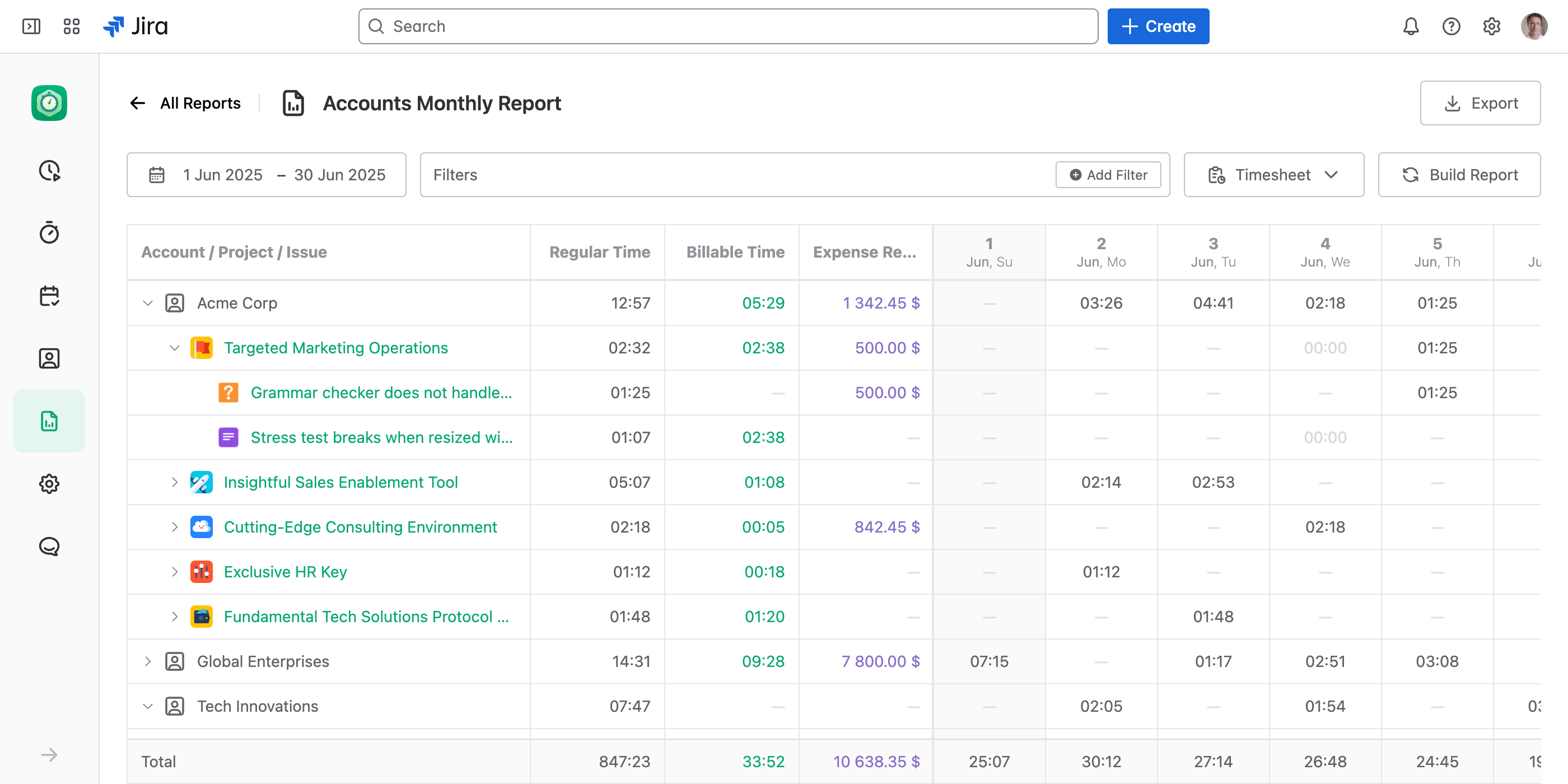
JetTime allows you to analyze work log data by accounts, a built-in JetTime work log field. With account-based grouping and filtering, you can easily generate reports tailored to specific accounts or gain a breakdown by account.
How to Create a Report on Accounts
To create a report focusing on accounts, follow these steps:
Navigate to the Reports section in JetTime and open or create a new report.
Use one of the following methods:
- Group by Account. Add Account as a grouping option to break down reported data (for example, time, costs, or custom metrics) for each account.
- Filter by Account. Apply an account filter to focus the report on a single account or a subset of accounts.
Use Cases for Account Reporting
Account-based reporting is ideal for scenarios such as:
- Client-specific tracking. Generate reports to analyze work logs, costs, or metrics specific to each client or account.
- Account-level summaries. Get a clear breakdown of time, expenses, or performance data organized by account.
- Internal cost center analysis. Break expenses down into cost centers (for example, departments or internal accounts) to monitor and manage internal budgets or operations.
The Account's Own Worksheet
For one client's numbers you don't need a report at all: every account has a Worksheet tab with the same reporting already filtered to it. Build a report when you need several accounts at once, your own filters, or a breakdown that crosses clients.
Billing an Account by Role
Group by Account, then by Role, and each client's hours split into the roles that produced them — the shape an invoice takes when roles bill at different rates. JetTime gives the hours per role and stores no rates. See Reporting on Teams and Roles.
Next Steps
To enhance your account reports, consider exploring report customization or using filters to structure and refine your analyses. For a worked example, see Building a Billable Report.