
Period Schemes
Choose whether worksheets are submitted weekly, every two weeks or monthly.
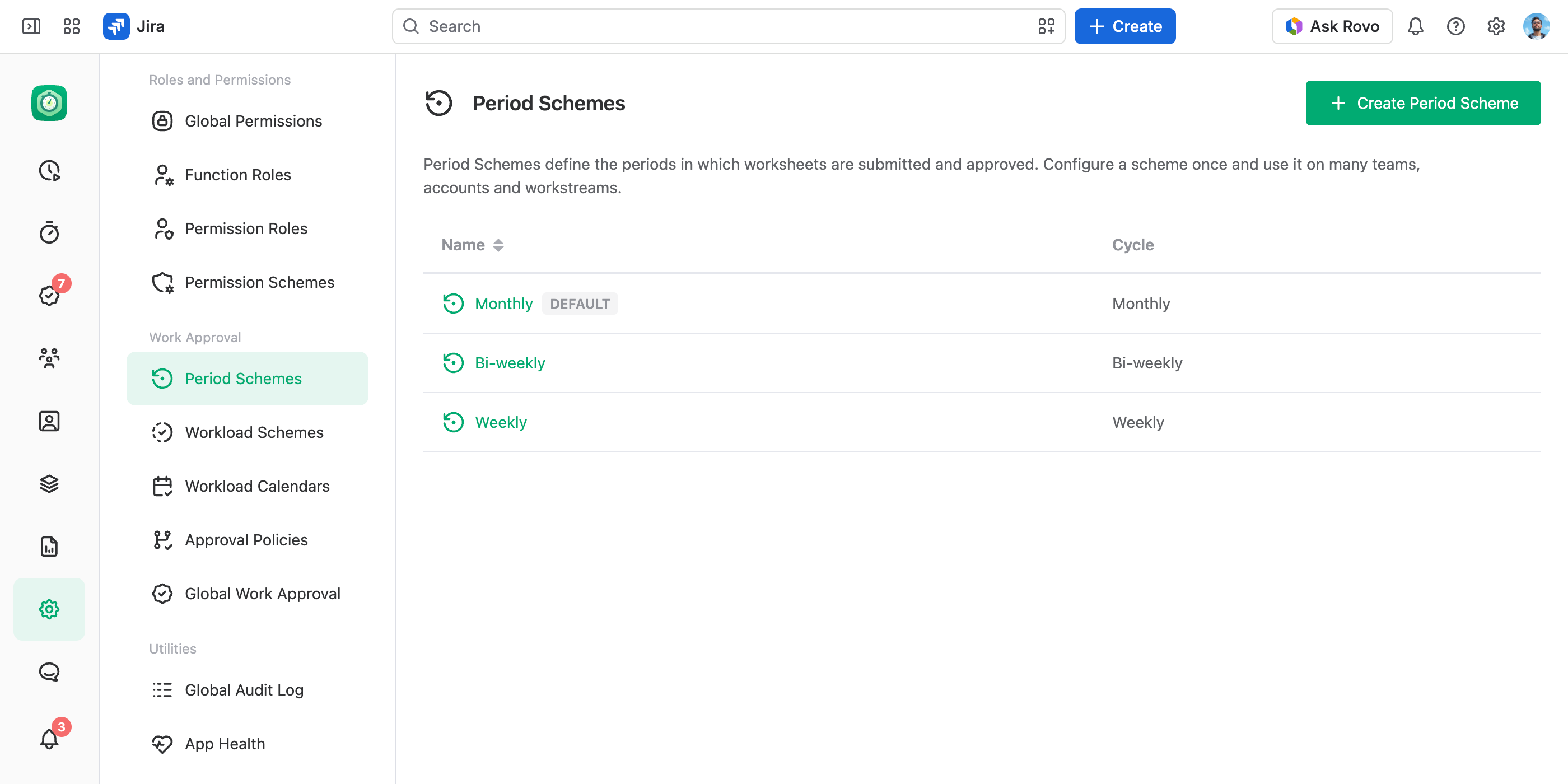
A period scheme decides how often worksheets are submitted and approved: every week, every two weeks or every month. Each team, account and workstream picks its own, so one team can run weeks while an account runs months.
We plan period schemes with custom periods, too: instead of a cycle, you will set each period's dates by hand — a week, then two weeks, then any range your process needs. If you need them now, tell us at feedback.jetheads.io or through Support in the main menu. Requests like yours decide what we build first.
Cycles
A scheme's Cycle is Weekly, Bi-weekly or Monthly. Three schemes come ready, one per cycle and named after it. Monthly is the default: turning approvals on picks it if no other scheme was chosen before, and teams, accounts and workstreams move to it when their scheme is deleted.
Periods are named after their dates: September 2026, Week 37 (2026), Weeks 37–38 (2026).
How Weekly Periods Are Counted
- Week start and numbers. Two settings in Date and Time settings shape the weeks. The First Day of the Week setting decides the day weeks start on; changing it moves weekly and bi-weekly periods. The First Week of the Year setting numbers the weeks; changing it renumbers weekly periods and can re-pair bi-weekly ones.
- Bi-weekly pairs. Bi-weekly periods pair the weeks from the start of the year: weeks 1 and 2, then 3 and 4.
- Weeks across a month end. A week that runs into the next month stays one period. To approve by calendar month, use a monthly scheme.
Create a Scheme
Open Period Schemes
In the JetTime app, go to Settings › Period Schemes (under Work Approval).
Create the Scheme
Select Create Period Scheme. In Name, enter a name, and select Create.
Pick the Cycle
A new scheme is Monthly. For another cycle, choose it in Cycle and select Save.
A team, account or workstream picks a period scheme in its Settings › Work Approval. The company-wide approvals pick one in JetTime Settings › Global Work Approval.
Change a Cycle
Changing a scheme's Cycle replaces the periods of everything that uses it — teams, accounts, workstreams and the company-wide approvals. JetTime asks you to confirm: the old periods are hidden, their submissions with them, and their work logs unlock. Switching the cycle back restores them as they were.
Switching one team, account or workstream to a period scheme with another cycle hides its current periods the same way, with no confirmation. A period scheme with the same cycle changes nothing.
Deleting a period scheme moves everything that uses it to the default one, with the same effect wherever the cycle differs.
Good to Know
- A period is a range of dates, the same for everyone. A work log belongs to the period that holds its day — its author's day, wherever they are. See Time Zone Handling.
- Periods don't close by themselves. Close each one on the Approvals tab once it's done — see Approving Worksheets.