
Time Zone Handling
Learn how JetTime handles time zones for teams spread across them.
A distributed team breaks most time tracking at midnight: the same hour lands on Monday for one person and on Tuesday for another. JetTime keeps one rule instead. A work log's day and clock time are its author's — where the work was done — and everyone sees it there.
How It Works
- The time zone travels with the work log. When someone logs work in JetTime, the work log keeps the time zone it was logged in. Its day and clock time come from that zone.
- Everyone sees the author's day. A manager in Berlin sees a colleague's work in Tokyo at Tokyo's clock —
10:00–18:00on the 25th — not shifted into Berlin time. Reports, worksheets, the Work Log Date fields, approval periods and the locks all use that same day. - A work log belongs to the day it starts. Work that runs past midnight is not split between two days.
- An edit never moves it. The time zone is set when the work log is created and an edit keeps it, so travelling later doesn't shift old entries. A work log created for someone else takes the time zone of the browser it was logged from.
- The time zone in reports. Add the Work Log Time Zone field as a column or a grouping to see which time zone each work log's day comes from.
In the Log Work Form
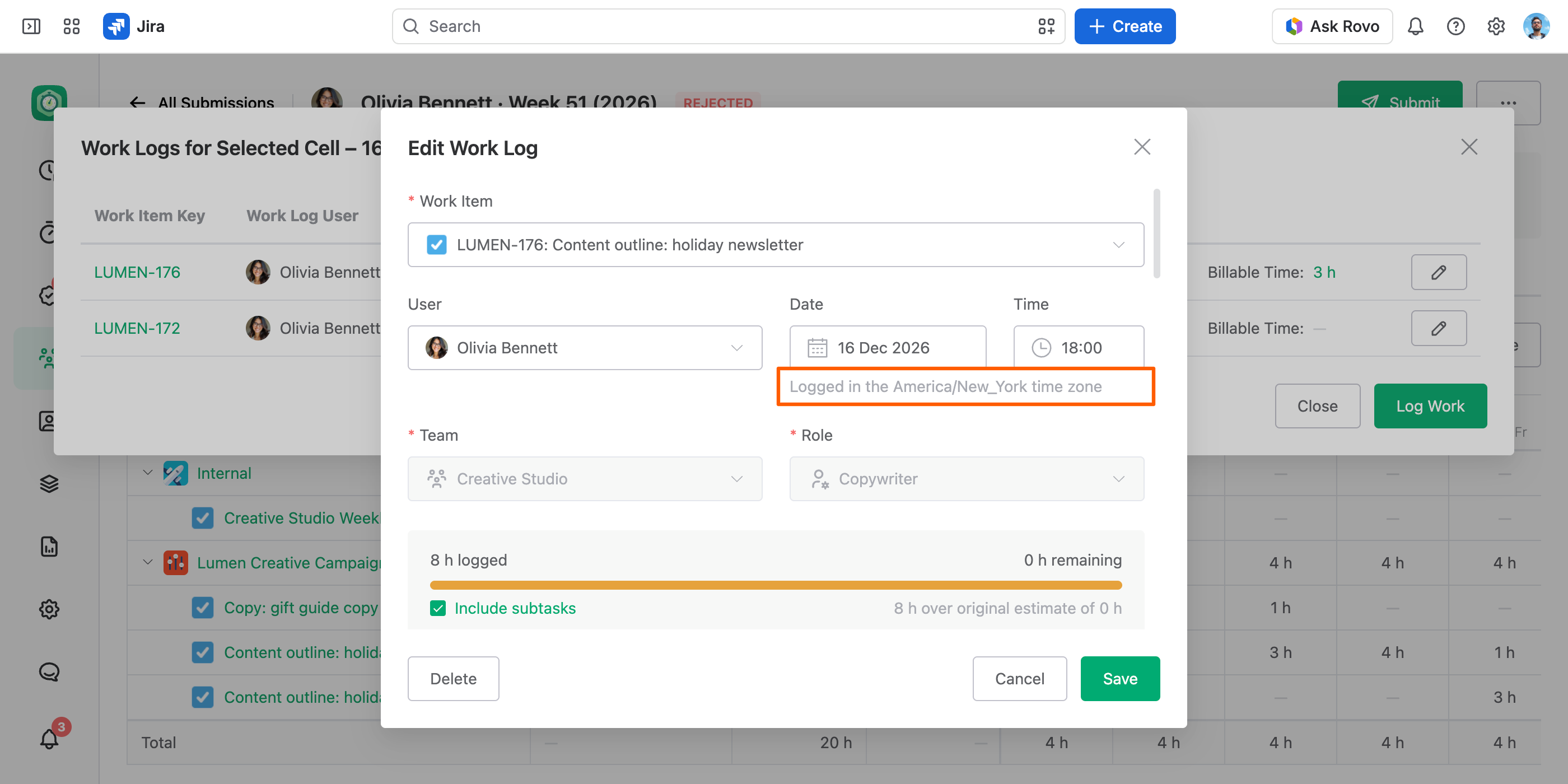
The Log Work form has separate Date and Time fields, filled in with the current moment. When a work log's time zone differs from your browser's, a note under them names it — for example "Logged in the America/New_York time zone" — and the date and time you edit are in that zone.
Work Logged Outside JetTime
A work log created in Jira's own dialog or through the API has no stored time zone. JetTime places it in the author's Jira profile time zone, and stores that zone the first time the work log is saved in JetTime.
There is no time zone setting to configure. Approval periods are calendar dates and each person's work lands on their own day, so for a team spread across time zones, close a period the next day, not at the company's midnight.