
Logging & Managing Work
An overview of how to record and maintain work logs in JetTime.
JetTime provides an intuitive and powerful way to log and manage your work directly within Jira. Whether logging time with timers, logging work manually, or monitoring progress on work items, JetTime keeps all your work data organized and easily accessible. Here's a quick overview of key features for logging and managing work in JetTime:
Key Work Logging Features
Custom Log Work Form
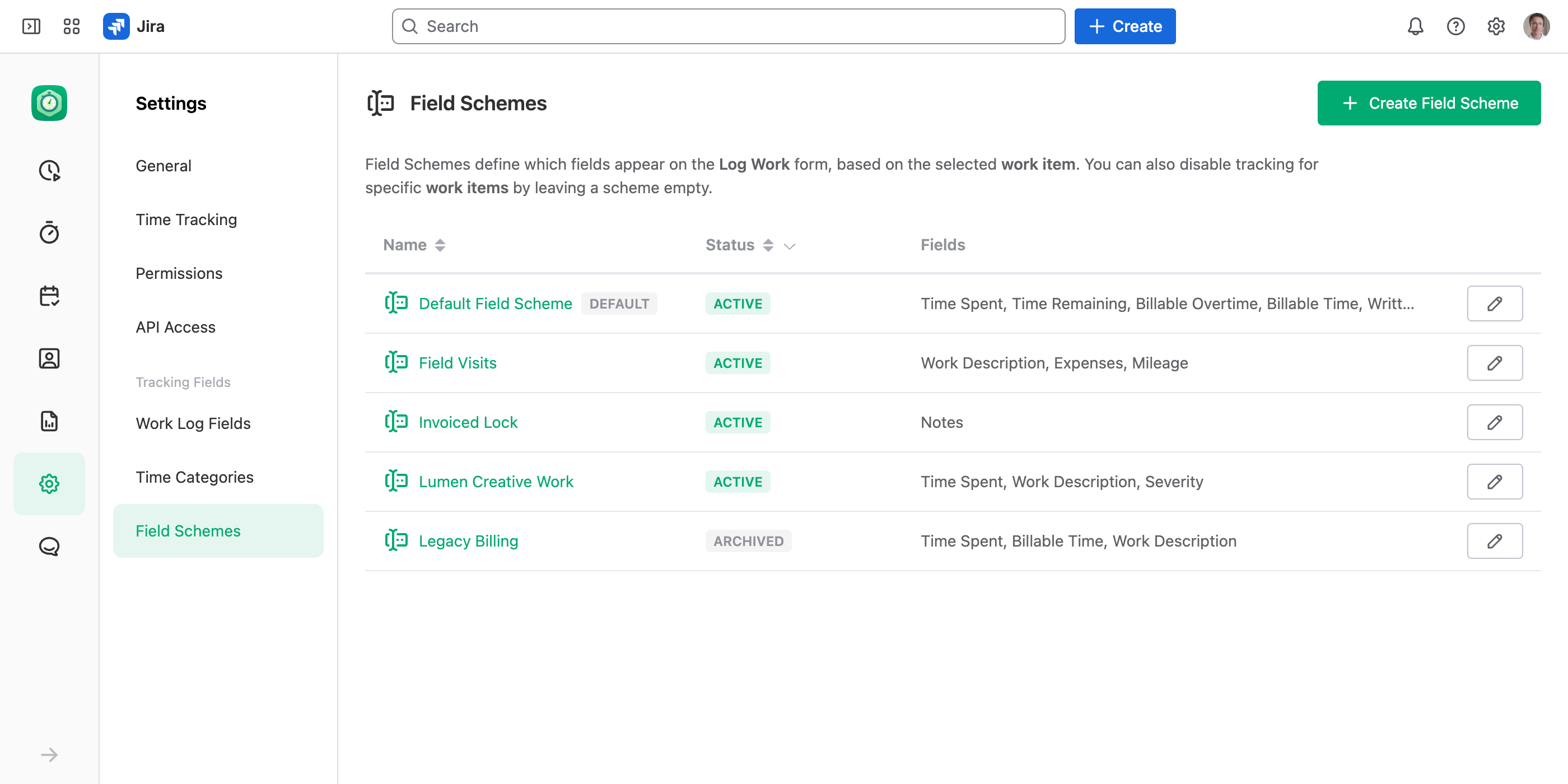
Each work item can show a Log Work form with its own set of fields. Pick which fields appear, make some required, or log costs and metrics instead of time — you can even turn logging off for some work items. This is set up with Field Schemes.
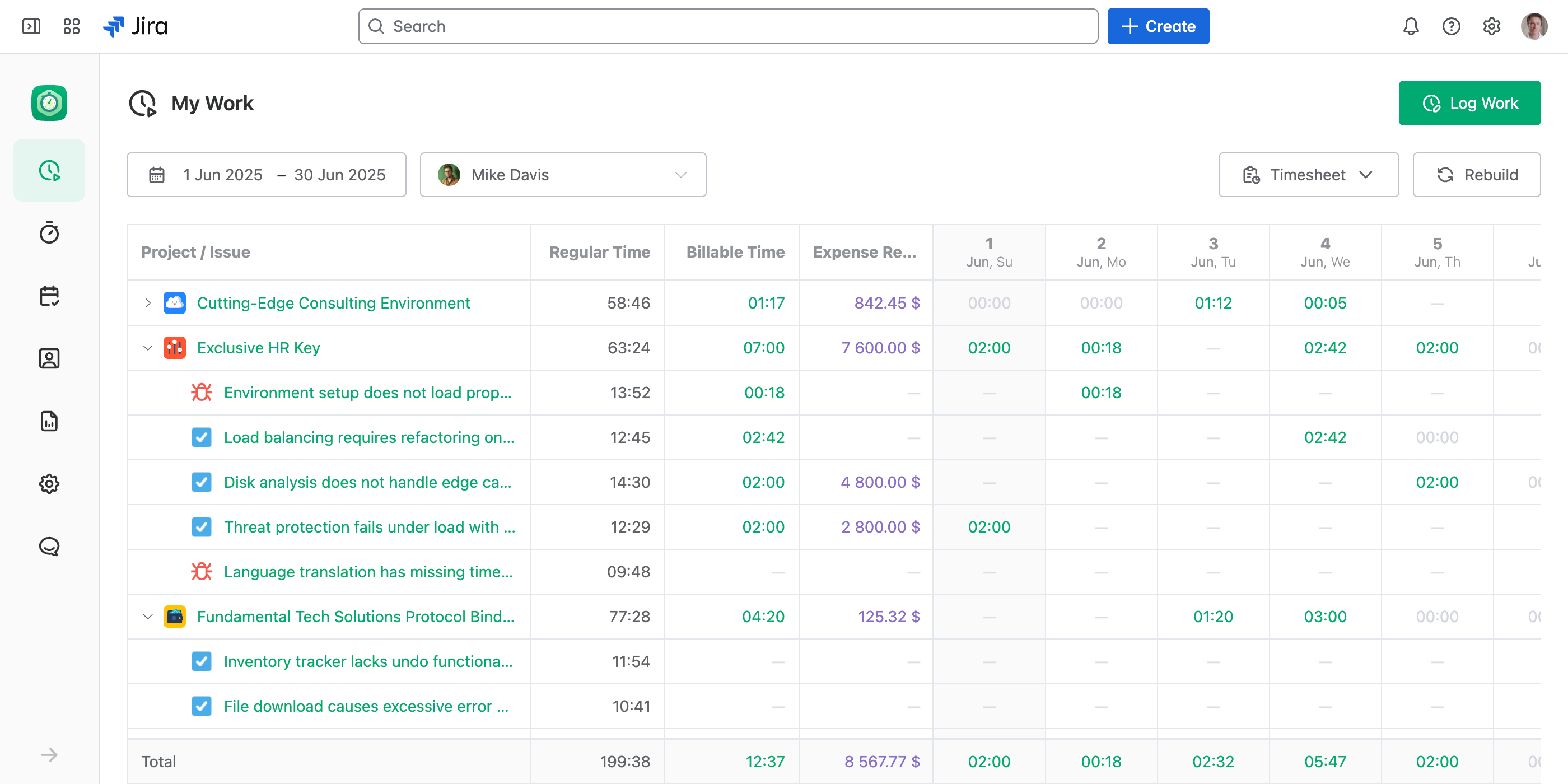
My Work
A centralized hub for managing all your logged work. Use this page to review, update, and analyze your work logs effortlessly. See My Work Page.
Bulk Edit Work Logs
Edit, move or delete many work logs in one run, with each one checked as if you edited it alone. See Bulk Editing Work Logs.
Timers
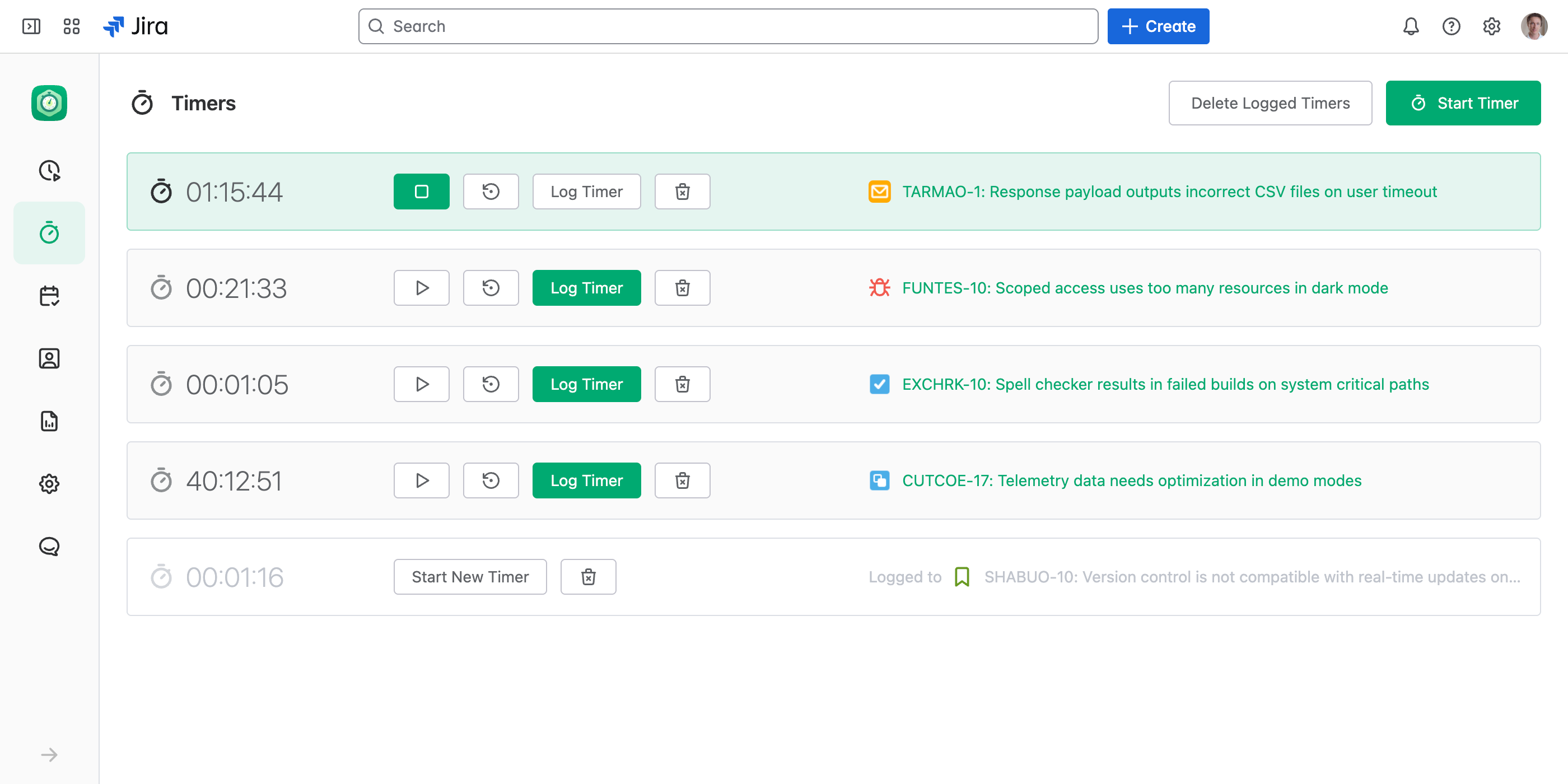
Manage all running timers in one place. Start, stop, and monitor timers across all work items and tasks you're working on.
Notifications
The bell at the bottom of the main menu tells you when someone approves, rejects or submits your worksheet. See Notifications.
Log Work from Jira Work Items
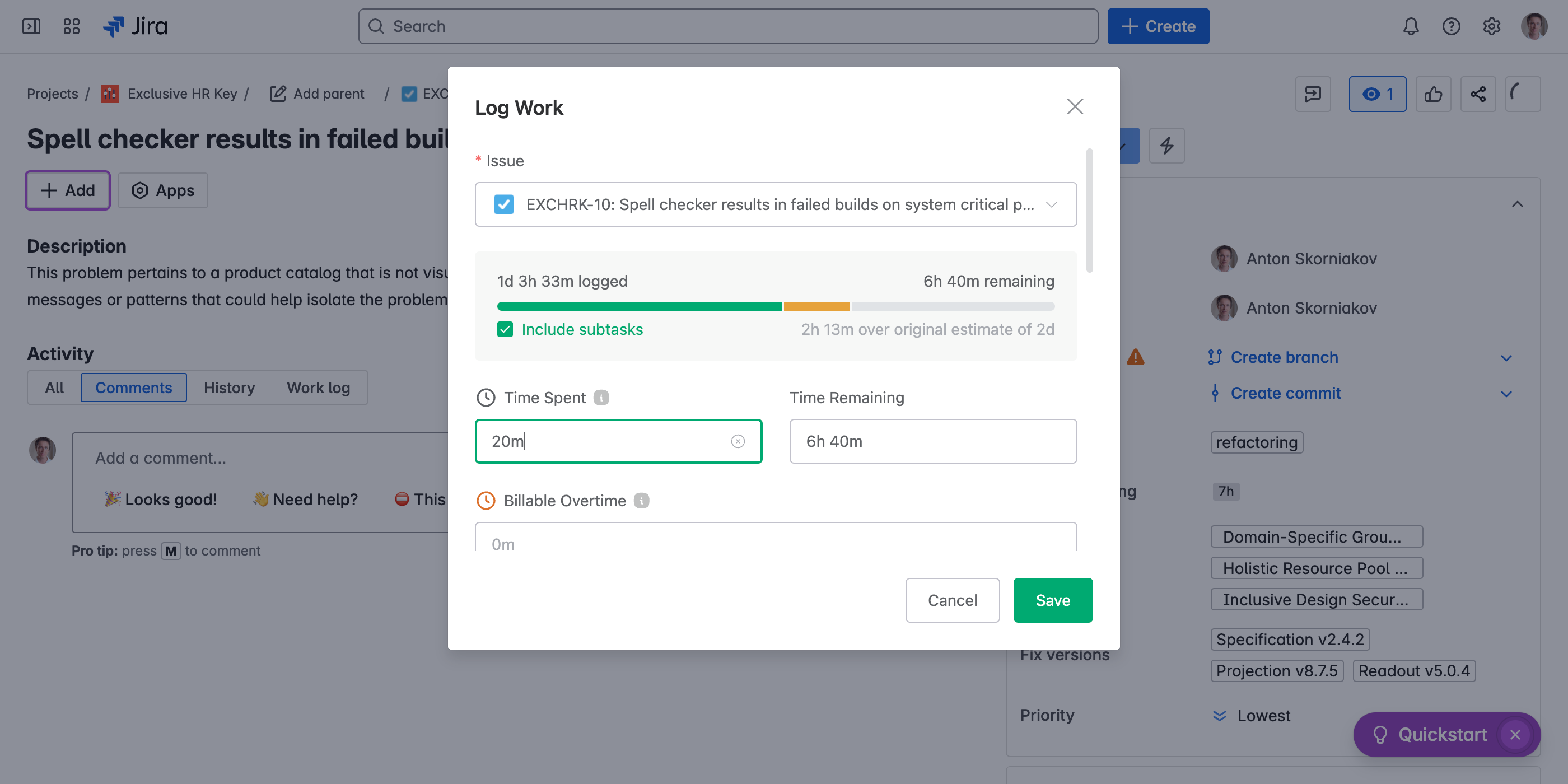
If JetTime is set as your time tracking provider, log work directly from Jira work items in just a few clicks.
Jira Work Item Activity
View all logged work for a specific work item, broken down by individual contributors to better understand team efforts. This tab is enabled if JetTime is set as your time tracking provider in Jira.
Its … opens the work item's work logs in a new browser tab: Open in Report to group, total or export them as a report, Bulk Edit Work Logs to change many of them at once.
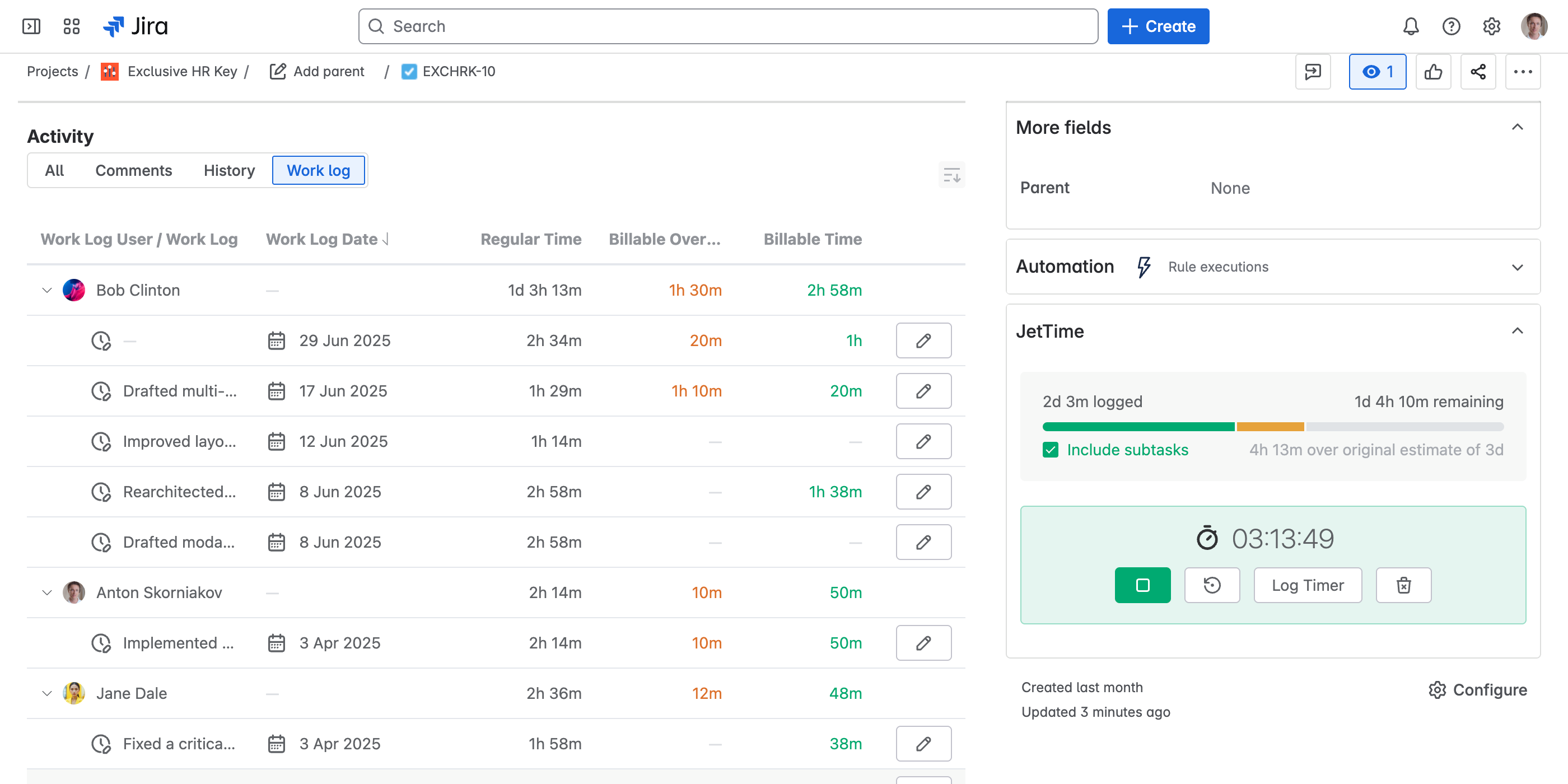
Jira Work Item Panel
Monitor real-time progress, including total logged time, the original estimate, remaining time, and timers associated with a work item.
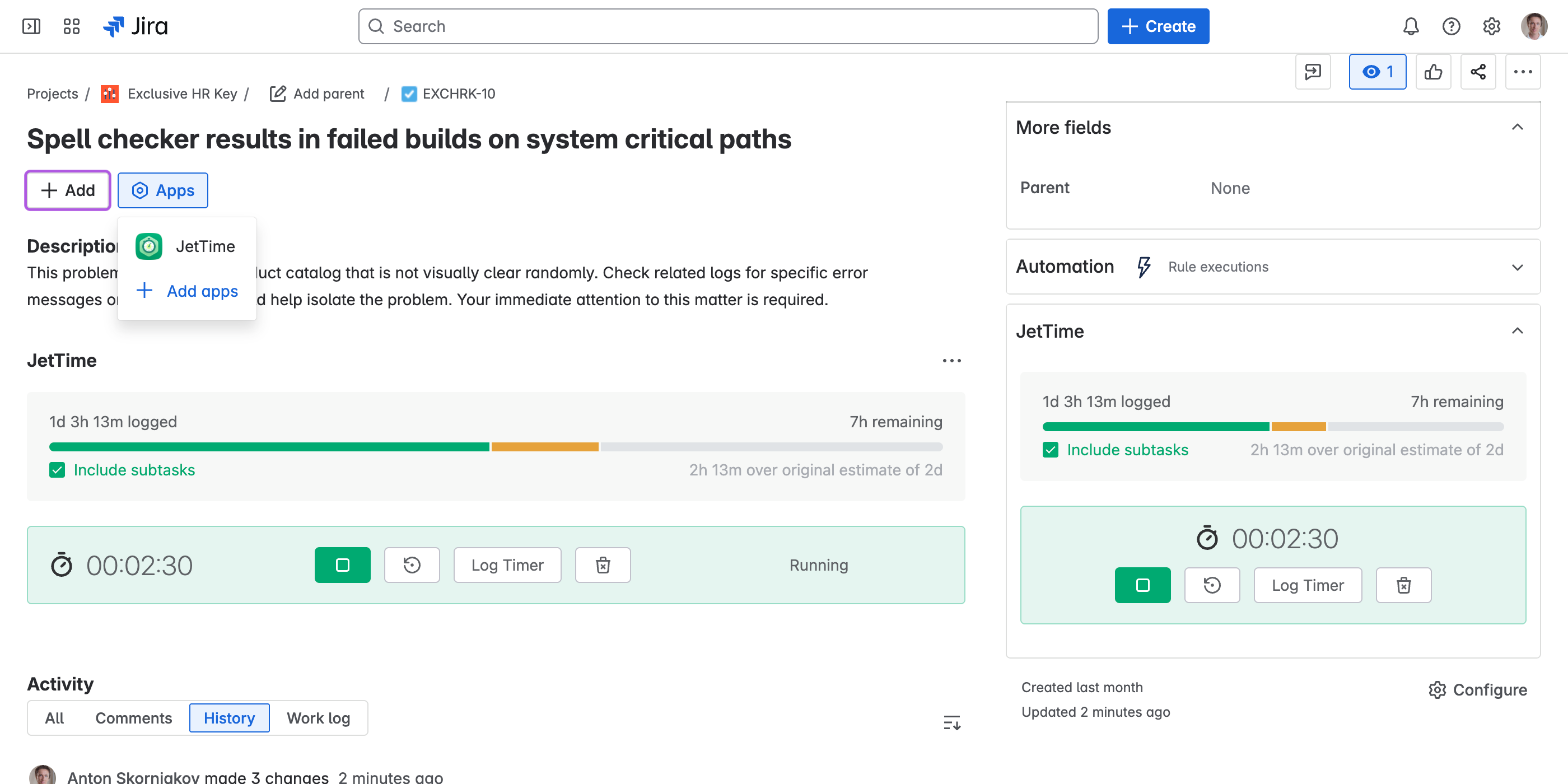
Seamless Integration with Jira
JetTime is built to work perfectly with Jira, providing seamless integration that keeps your data consistently available and up-to-date across all views and pages. Leverage JetTime's tracking capabilities to gain deeper insights into your work and optimize productivity.